
Feature
Before & after project galleries
Every completed job becomes a filterable showcase with true before-and-after sliders — the most convincing evidence a prospect can see.
Every job you finish becomes a polished showcase site on your own domain. Here's a sample of what yours could look like.
See the work before you call.
Window & door replacement across the DMV. Every project, documented — drag the slider to see the difference.
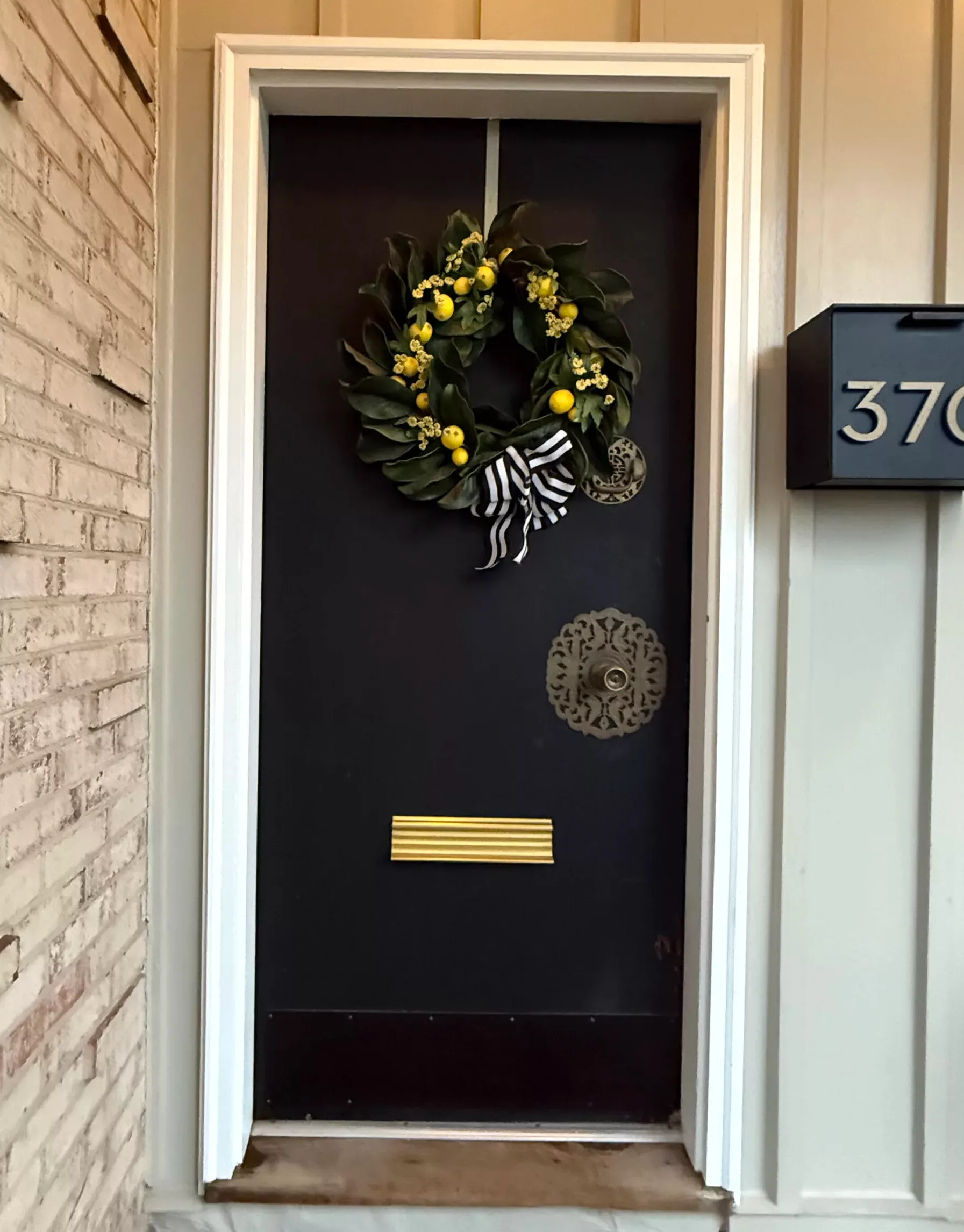
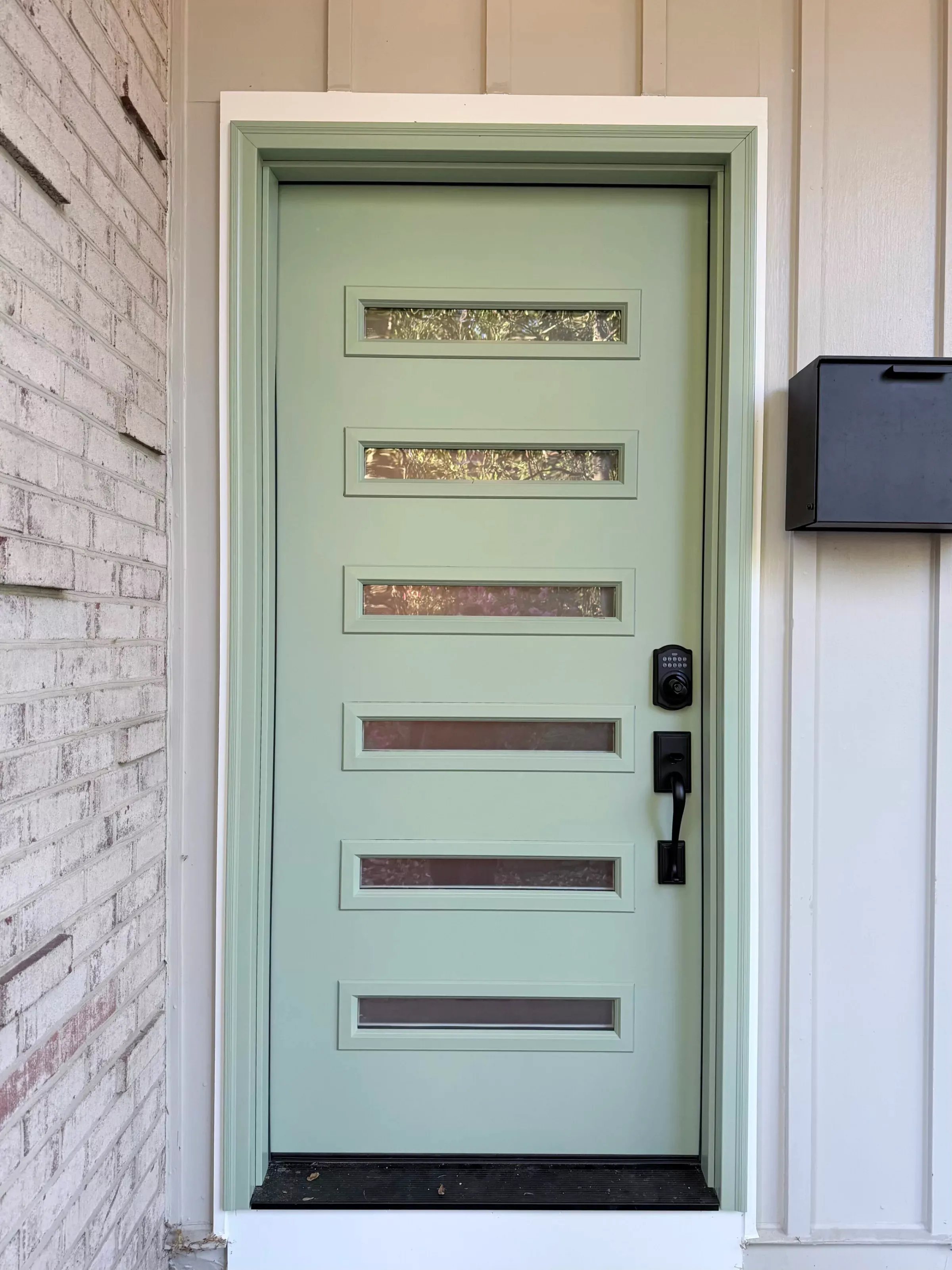 Before After
 Ready to start your project?
Free in-home estimate · Licensed & insured
Sample site for illustration. Your gallery, domain, colors, and logo — built from your own jobs.
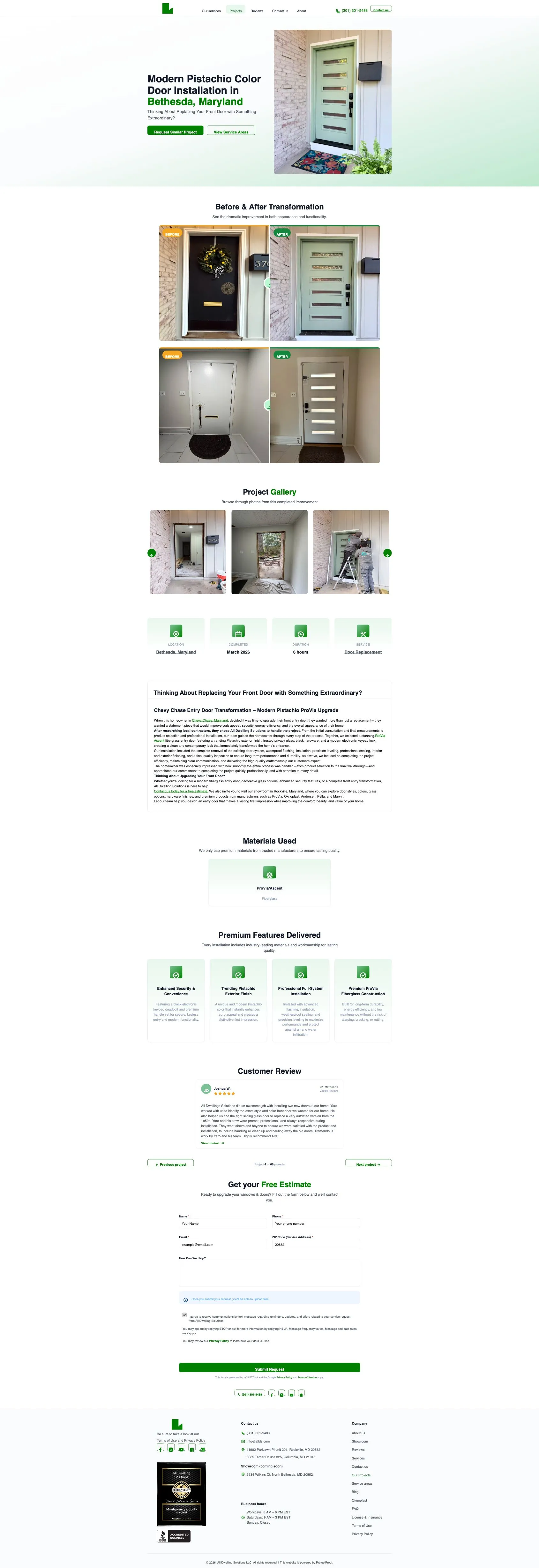
An actual screenshot of a live project page on allds.com — built with ProjectProof. Scroll inside the window to see the full page.
Benefits
-
Real before-and-after sliders
Drag-to-compare sliders put the transformation front and center, so the quality speaks for itself.
-
Filterable by service & location
Prospects narrow to the exact work they need, done near them — and see you've done it before.
-
Built from jobs you already finish
No extra shoots or staging — your everyday completed work becomes the showcase.
How it works
- 1
Capture on site
Snap before and after photos from your phone as the job progresses.
- 2
Pair and publish
Match the shots into a slider and publish them to your gallery in a couple of taps.
- 3
Get found and booked
Filterable galleries help the right prospect find your work and reach out.
Common questions
What is a before-and-after gallery in ProjectProof?
- A before-and-after gallery pairs the photo of a job site before work started with the finished result, on a slider a homeowner can drag. ProjectProof builds these from the photos a crew already takes, so the quality of the work is visible in seconds.
Can ProjectProof fix crooked or poorly shot job photos?
- ProjectProof includes a photo editor with perspective correction, so a window or roofline shot from an awkward angle can be squared up. Field photos taken quickly between jobs end up looking deliberate rather than rushed, without anyone opening desktop software.
Frequently asked questions
Do I need special equipment?
No — phone photos work. The editor cleans them up so they look professional.
Can I control what's public?
Yes. You choose which jobs appear in your public galleries.
Turn your finished jobs into new business
Build your first before-and-after gallery in minutes.